Common Recipes
This page collects copy-pasteable patterns for common authoring tasks that usually come up after the tutorial and before the reference docs feel natural.
Show Content Only When Two Conditions Are True
{% if include_nda and contract_value > 100000 %}
## Enhanced confidentiality

The stricter confidentiality regime applies.
{% endif %}
Keep the relevance rule in the template. The probing system uses the rendered template to decide whether dependent questions matter.
Nest Follow-Up Questions Under an Option
questions:
  delivery_method:
    type: radio
    label: Delivery method
    options:
      - value: courier
        label: Courier
        followups:
          - courier_company
      - value: pickup
        label: Pickup

  courier_company:
    type: text
    label: Courier company
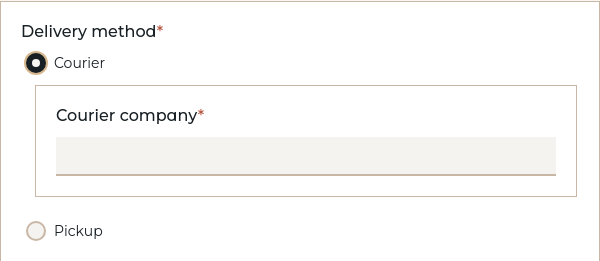
Use followups for placement. Use template logic to decide whether the follow-up is actually relevant. See The Question Types Reference.
Reuse the Same Data Shape in Multiple Places
definitions:
  person:
    type: structured
    fields:
      name:
        type: text
      email:
        type: text

questions:
  supplier_contact:
    type: structured
    uses: person

  customer_contact:
    type: structured
    uses: person
Use definitions when the thing you are reusing is a data structure, not a block of rendered content.
Pass Host Data Into a Component Explicitly
This makes the component contract obvious and avoids hidden dependencies on host variable names.
Pre-Answer a Component Question From the Host
The component still owns the question definition, but this insertion chooses the answer up front.
Make a Component Optional Without Defining an Extra Bool Question
VIBE creates the gate question automatically. For grouped optional clauses, see the component guide's _multichoice examples in Reuse with Components.
Keep Complex Calculations Out of the Template
questions:
  subtotal:
    type: computable
    compute: "base_price * quantity"

  total:
    type: computable
    compute: "subtotal + tax_amount"
Then use the result in the template:
This keeps the presentation layer readable and gives you a stable place to test the logic.
Group a Long Interview Into Sections
groups:
  basics:
    title: Basic information
    questions:
      client_name:
        type: text
        label: Client name

  pricing:
    title: Pricing
    questions:
      base_price:
        type: amount
        label: Base price
        currencies:
          - USD
          - EUR

ui:
  layout: paged
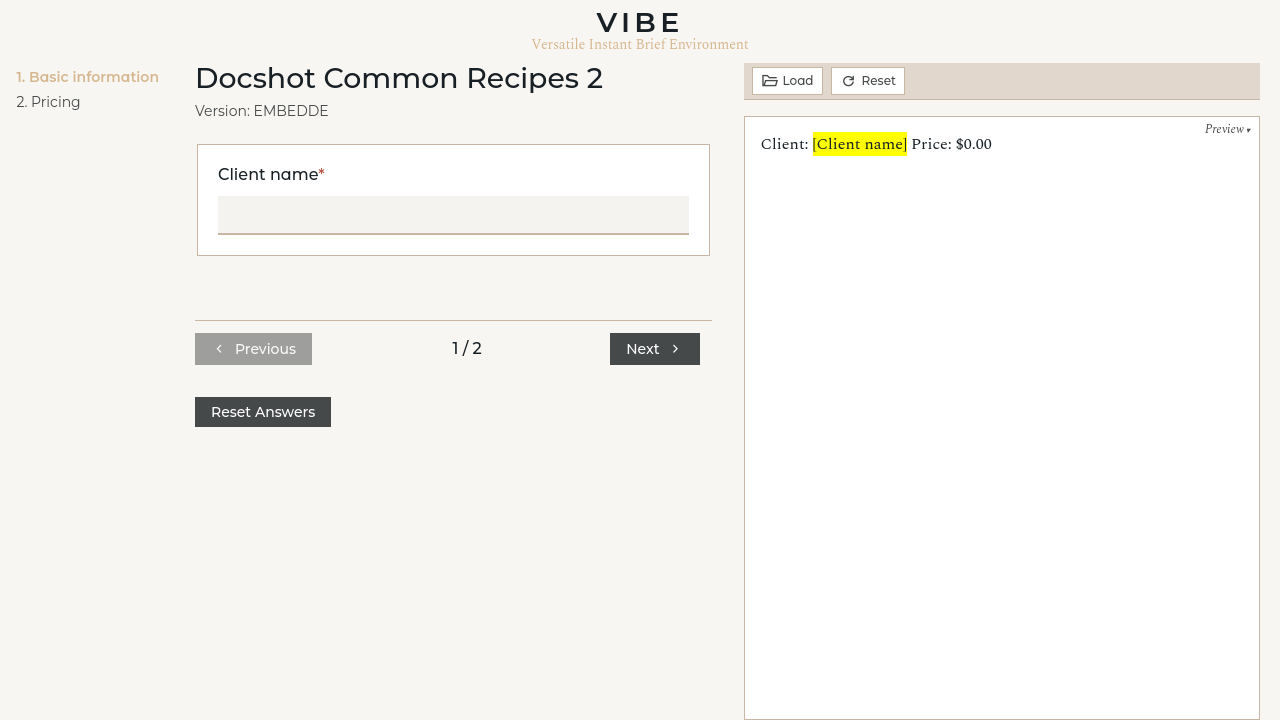
Use grouped interviews when the question list starts to feel like a wall of fields. See Grouped Interviews.
Create Stable Cross-References
The anchor stays stable even if headings move. VIBE replaces the display text with the computed section number during rendering.
Make Unanswered Placeholders Obvious in Preview
This makes gaps visible in preview without forcing you to fill every value while drafting.